
Base Platform

The foundation for a governable tribe context.

Every Tooltribes environment starts with the Base Platform layer. Organisations, tribes, users, roles, access and collaboration across organisational boundaries come together there.

Base Platform is required. Modules are activated on top of it after review, payment and activation.

Base Platform A shared tribe context
Professionals
Tribes
Knowledge
Toolbox
Asset Manager
Progress
Requests, access and modules remain controlled.

Visual workflow

A tribe connects people, tools and work processes.

The platform layer keeps collaboration from depending on loose documents, separate tools or informal alignment. Everyone works from the same structure.

  • Inside and outside organisations

    Tribes can connect people around a shared challenge, even when not everyone belongs to the same organisation.

  • Access with agreements

    Roles, module access and working agreements remain part of the same governable context.
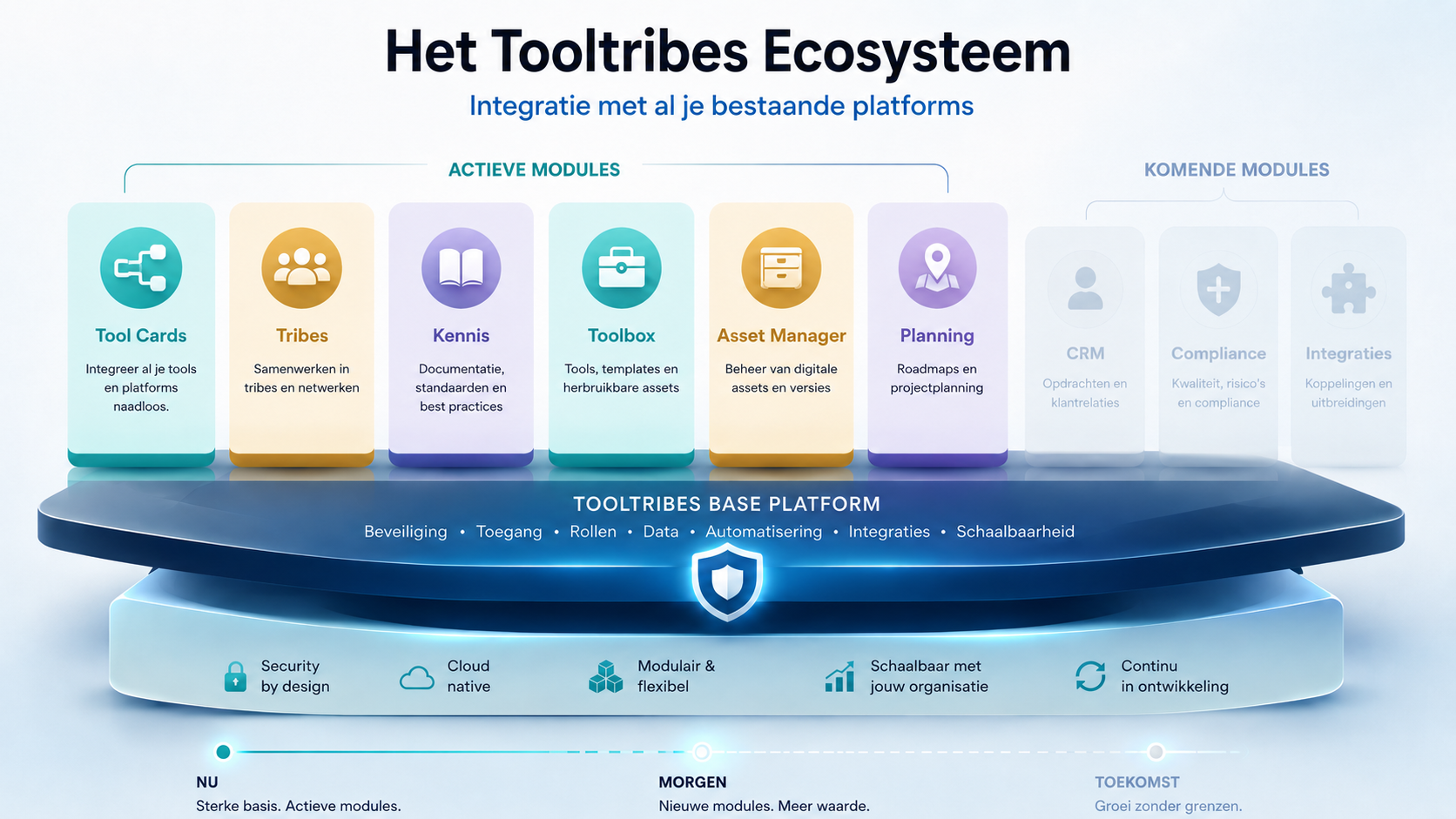
Illustration of collaborating professionals connecting tools, ideas and working agreements in a shared Tooltribes context.

Foundation

From fragmentation to coherence.

Tooltribes is not a row of separate products. The Base Platform layer keeps people, knowledge, tools, processes and module choice connected to the same tribe context.

Organisations and tribes

Every customer works from its own organisation context. Tribes make a team, process, project, asset group or improvement goal recognisable.

Users and roles

Professionals get access in the right context. Roles define who can manage, contribute, view or follow up.

Collaboration across boundaries

Tooltribes supports collaboration inside and outside organisational boundaries without separating agreements, knowledge and assets.

Module access

Modules are activated on top of the Base Platform layer. They add practical capabilities to the same tribe context.

Coherence

From context to module access.

The platform layer guards both collaboration and the route from interest to access. The website explains that route, but the app remains responsible for registration, quote, review, payment and activation.

Controlled onboarding

An organisation receives no functional access while the registration is still in review or payment.

Catalogue and quote

Module choices and price expectations are captured before Tooltribes reviews the request.

Activation with context

After confirmed payment, organisation, future admin role and module access are activated together.

Modules

Modules remain practical extensions.

Toolbox, Asset Manager and SimpleWork add practical capabilities to the tribe context. They are not presented as loose products or separate brands.

Working agreements

Toolbox

Captures how the tribe works: processes, working agreements, manuals, instructions and practical knowledge.

  • Processes
  • Agreements
  • Instructions
  • Knowledge

Assets

Asset Manager

Shows what the tribe has: assets, equipment, software, licences, documents and follow-up.

  • Assets
  • Locations
  • Software
  • Follow-up

Project work

SimpleWork 2.0

Roadmap layer for progress: projects, problems, actions, responsibilities and follow-up.

  • Projects
  • Actions
  • Responsibility
  • Progress

Lifecycle

An honest gated start.

The customer journey stays deliberately controlled: first understand and request, then review, payment and only then access.

  1. 01

    Choose what you need

    Explore the Base Platform layer and decide which modules fit the organisation question.

  2. 02

    Submit a request

    Account, email verification, organisation details, terms, privacy and module choice belong to the app flow.

  3. 03

    Tooltribes reviews

    An administrator reviews the registration before payment or activation can follow.

  4. 04

    Pay after approval

    Payment belongs after approval and remains part of the controlled app flow.

  5. 05

    Activate after confirmation

    Organisation, roles and modules only become active after confirmed payment and controlled activation.